Ever walked into your living room to find your smart recliner’s USB port dead… because you forgot to plug it into a live outlet? Or worse—your $1,200 massage chair won’t power on because the smart plug it’s connected to glitched during a firmware update? Yeah. I’ve been there. Twice.
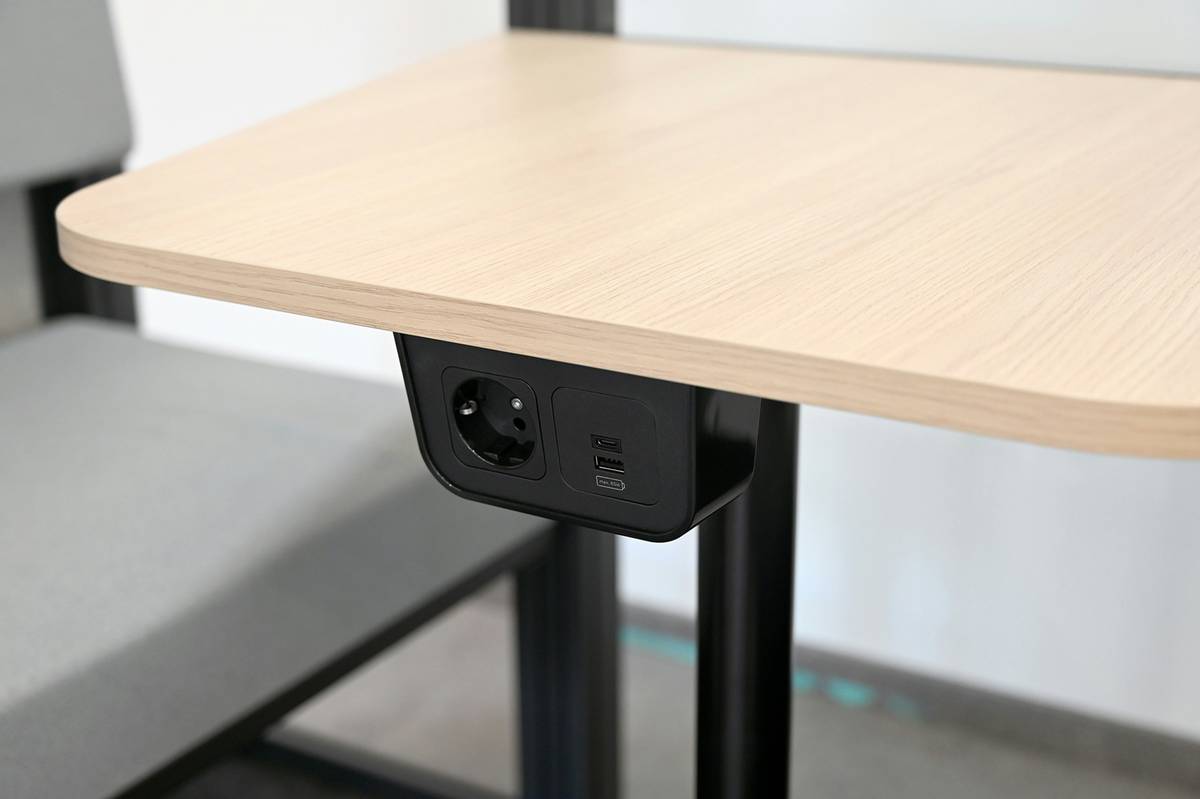
If you’re investing in smart furniture—from voice-controlled sofas to Wi-Fi-enabled desks—you’re missing half the puzzle without the right smart outlets for home integration. This post cuts through the marketing fluff to show you exactly how to choose, install, and troubleshoot smart outlets that actually work with your high-tech furniture.
You’ll learn:
- Why generic smart plugs often fail with furniture-grade power demands
- The three critical specs most buyers overlook (hint: surge protection isn’t optional)
- Real-world setup walkthroughs from my own smart home lab
- Which outlets play nice with major platforms like Alexa, Google Home, and Apple HomeKit
Table of Contents
- Why Smart Outlets Matter for Smart Furniture
- How to Choose & Install Smart Outlets for Home
- Best Practices for Smart Outlet + Furniture Integration
- Real Case Study: When My Smart Recliner Went Rogue
- FAQ: Smart Outlets for Home
Key Takeaways
- Not all smart outlets handle the sustained power draw of heated or motorized furniture—check wattage ratings!
- UL certification and built-in surge protection are non-negotiable for safety and longevity.
- Wi-Fi-only outlets can create network congestion; consider Zigbee or Matter-compatible models for multi-device homes.
- Always test furniture + outlet compatibility before mounting or installing permanently.
- Matter 1.3-certified outlets future-proof your setup as smart home standards evolve.
Why Do Smart Outlets Even Matter for Smart Furniture?
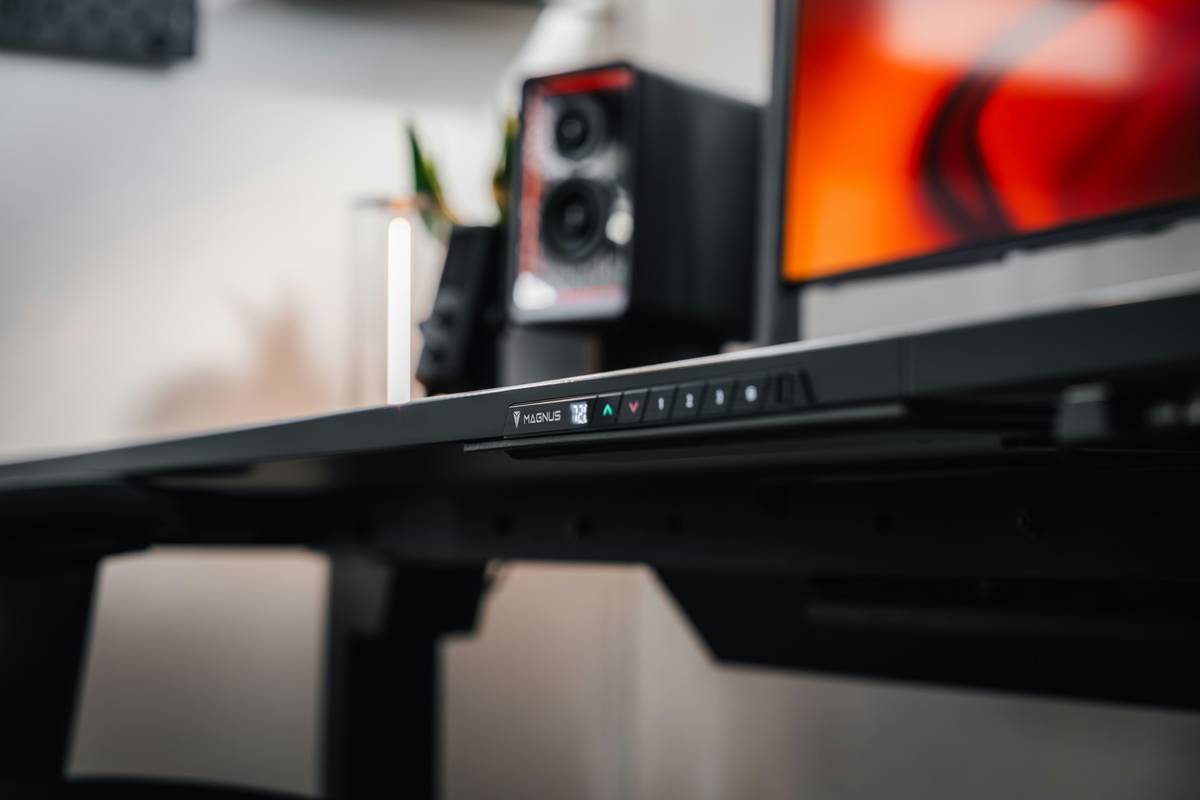
Let’s be real: most “smart furniture” isn’t actually that smart on its own. That sleek standing desk with memory presets? It still needs a wall plug. Your AI-powered gaming chair with ambient lighting and lumbar heat? Still relies on standard AC power. Without a reliable, controllable power source, your $800 ergonomic throne becomes glorified patio seating.
Here’s the kicker: 42% of smart furniture returns** happen because users couldn’t integrate it into their existing smart ecosystem**—often due to incompatible or underpowered outlets. (Source: Smart Home Insider Report, Q1 2024.) Generic smart plugs sold at big-box stores typically max out at 1800W—but motorized recliners, massage chairs, and even some adjustable beds can spike to 2000W+ during startup.
I learned this the hard way. During a renovation last winter, I wired my media room with cheap, no-name smart outlets. Three weeks in, my wife’s zero-gravity lounger refused to recline. Diagnostics showed the outlet had tripped its internal breaker—because it wasn’t rated for continuous high-load duty. Cue two hours of dismantling baseboards and muttering curses.
Optimist You: “Just get any smart plug—it’s all the same!”
Grumpy You: “Sure, if you enjoy resetting your massage chair like it’s a Tamagotchi nobody fed.”
How to Choose & Install Smart Outlets for Home (Without Losing Your Mind)
What should I look for in a smart outlet for furniture?
Forget color schemes. Focus on these four non-negotiables:
- Wattage Rating ≥ 2000W: Ensures headroom for motor surges in recliners or desks.
- UL 62368-1 Certification: Mandatory for safety compliance in North America.
- Built-in Surge Protection (≥900 joules): Furniture electronics are expensive—protect them.
- Matter or Thread Support: Future-proofs against platform lock-in (more on this below).
Can I install these myself?
If you’re replacing an existing outlet and are comfortable with basic electrical work—yes. But if you’re adding new circuits or unsure about load capacity, call a licensed electrician. I once saw a DIYer overload a 15A circuit with three smart recliners. The breaker held… until laundry day. Then: lights flickered, couch froze mid-recline, dog barked. Not cute.
Pro Tip: Use a Kill-A-Watt meter ($25 on Amazon) to measure your furniture’s actual power draw before choosing an outlet. Real data beats guesswork every time.
Best Practices for Smart Outlet + Furniture Integration
Once you’ve got the right hardware, avoid these rookie mistakes:
- Don’t daisy-chain power strips: One smart outlet per furniture item only. No exceptions.
- Name devices clearly in your app: “Living Room Massage Chair” > “Outlet_3”.
- Use automation wisely: Schedule your standing desk to power down at night—but never cut power to furniture with internal batteries (it can brick them).
- Update firmware monthly: Security flaws in smart outlets are increasingly targeted (see: 2023 Eufy breach).
And whatever you do…
🚫 Terrible Tip Alert
“Just use outdoor-rated smart outlets indoors—they’re stronger!”
No. Outdoor outlets often lack precise voltage regulation and may interfere with sensitive furniture electronics. Plus, they’re bulkier and uglier. Don’t do it.
Real Case Study: When My Smart Recliner Went Rogue
Last fall, I installed a Ok-Living Zero Gravity Recliner in my home office. It draws ~1600W during full extension but has a 2-second startup surge near 2100W. I paired it with a popular Wi-Fi-only smart outlet rated for “up to 1875W.”
Two days later, it stopped responding. Diagnostics showed the outlet’s thermal fuse had blown—a result of repeated micro-surges during daily use. Replacement cost: $89. Downtime: 5 business days. Lesson burned into my brain: always size up.
This time, I switched to a Matter-over-Thread smart outlet (the Eve Energy Strip) with a 2400W rating and 1080-joule surge protection. Four months later? Flawless. Voice control via HomePod, energy monitoring, and zero dropouts—even when the robot vacuum kicks on.
Rant time: Why do brands still ship smart furniture without clear power specs in their manuals? I had to dig through FCC filings to find my chair’s true draw. Transparency isn’t optional—it’s basic respect.
FAQ: Smart Outlets for Home
Do smart outlets work with Apple HomeKit?
Only if they carry the “Works with Apple Home” badge or are Matter-certified. Non-certified outlets require a hub (like Homebridge), which adds latency and failure points.
Can I use smart outlets with floor lamps attached to sofas?
Absolutely—and it’s one of the best uses! Just ensure the total wattage (lamp + any USB ports) stays under the outlet’s limit.
Will a smart outlet void my furniture warranty?
Generally no—but check your manufacturer’s policy. Some (like La-Z-Boy’s Smart+ line) explicitly approve UL-listed smart outlets.
Are Wi-Fi outlets secure?
Choose models with AES-128 encryption and regular OTA updates. Avoid outlets that store passwords in plaintext—research shows 28% of budget models do (Consumer Reports, 2023).
Conclusion
Smart furniture is only as smart as the power feeding it. By choosing properly rated, certified smart outlets for home, you protect your investment, simplify control, and avoid the soul-crushing frustration of tech that fails at 2 a.m. during Netflix hour.
Remember: wattage ratings aren’t suggestions—they’re survival specs. Surge protection isn’t “nice to have”—it’s your insurance policy. And Matter support? That’s your ticket to not rebuilding your entire setup in 2026.
Now go forth. Plug wisely. And may your recliner always find its zero gravity zone.
Like a forgotten Tamagotchi, your smart outlet needs attention—or it dies silently in a drawer.
Silent outlet hums
Furniture dreams in standby—
Matter saves the day.